


HauntBit
HauntBit
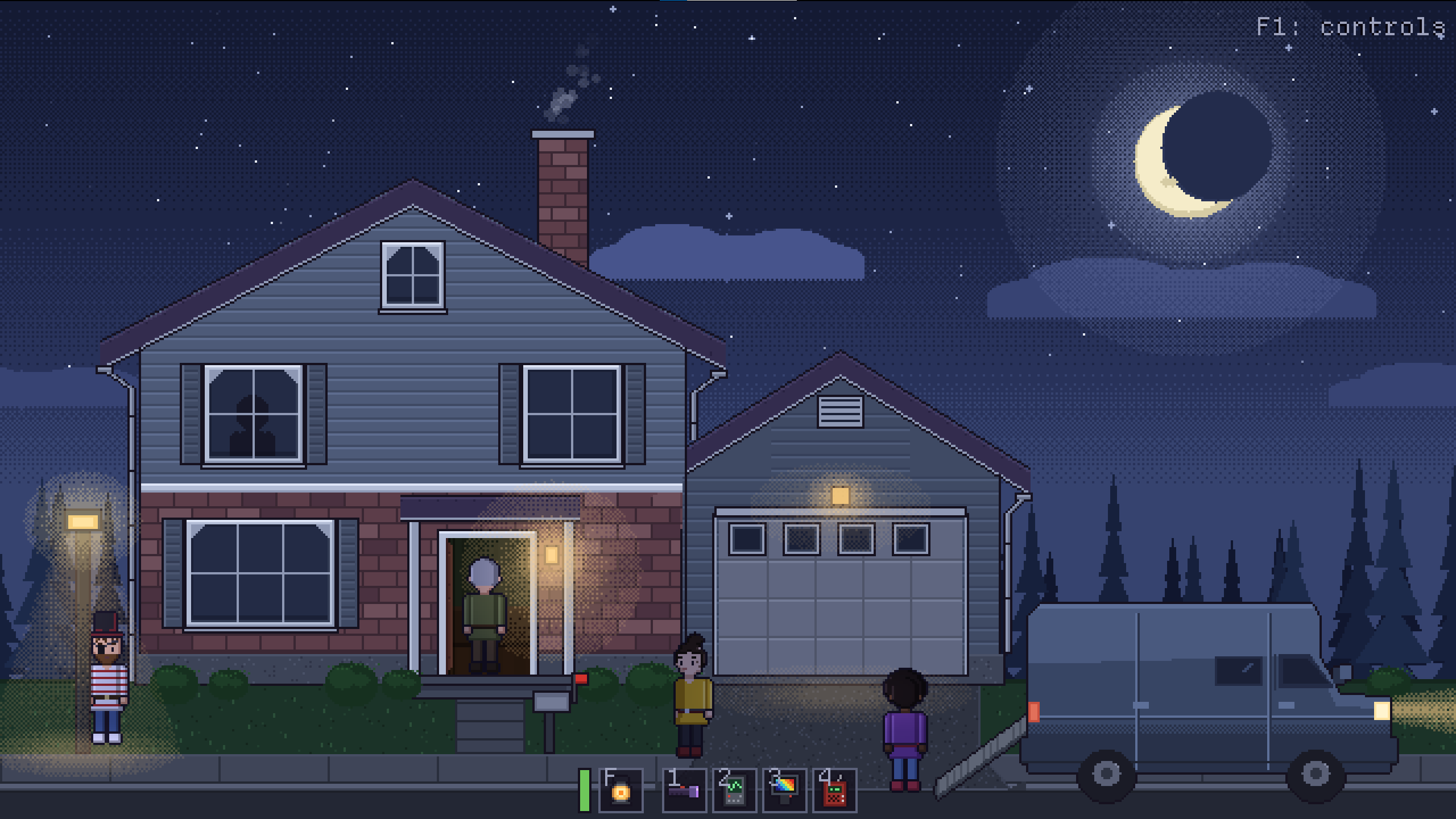
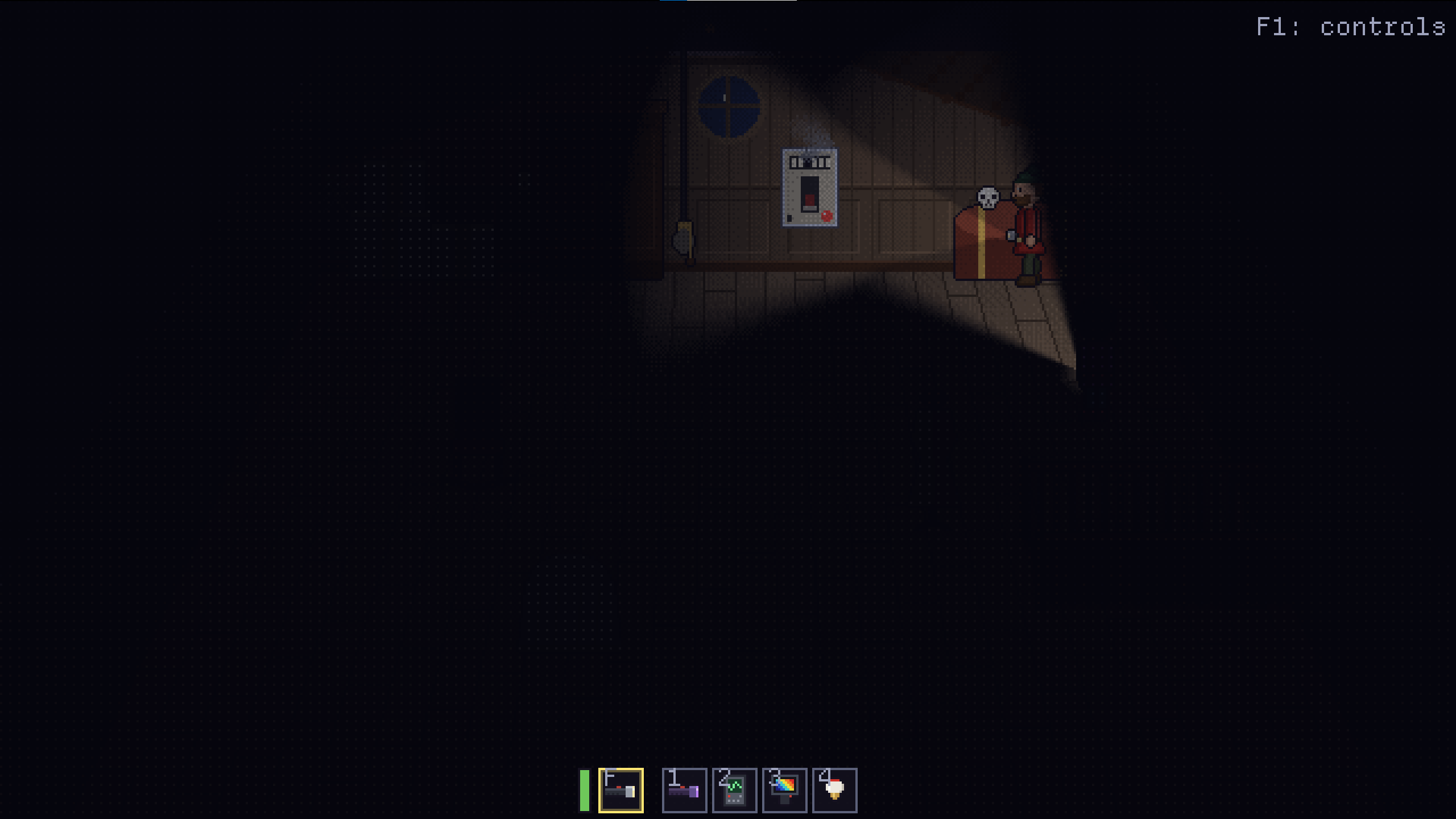
A pixel-art ghost investigation game. Step into a dark house with a flashlight, work out what kind of spirit lives there, and get out alive and sane.
How it plays
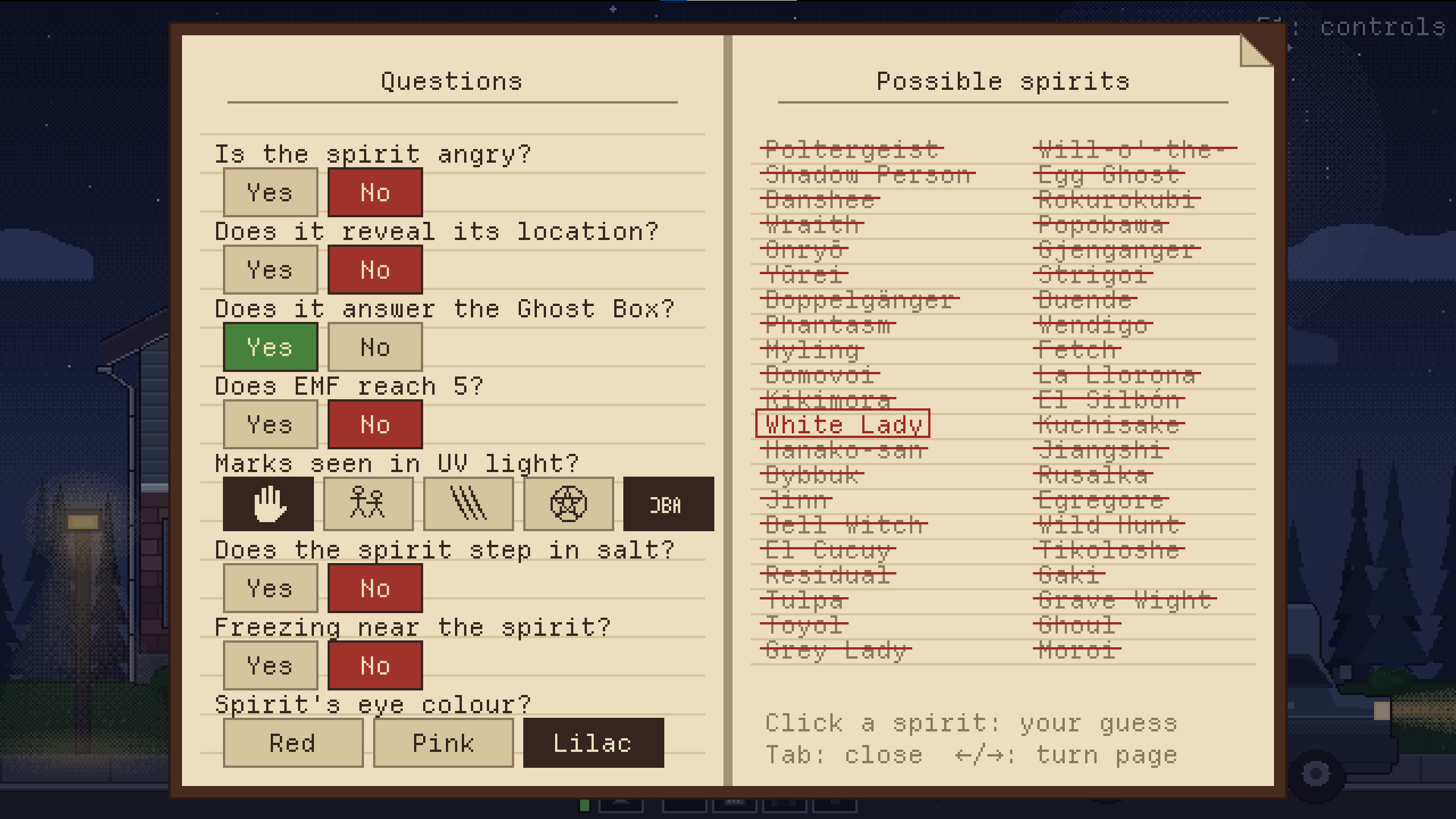
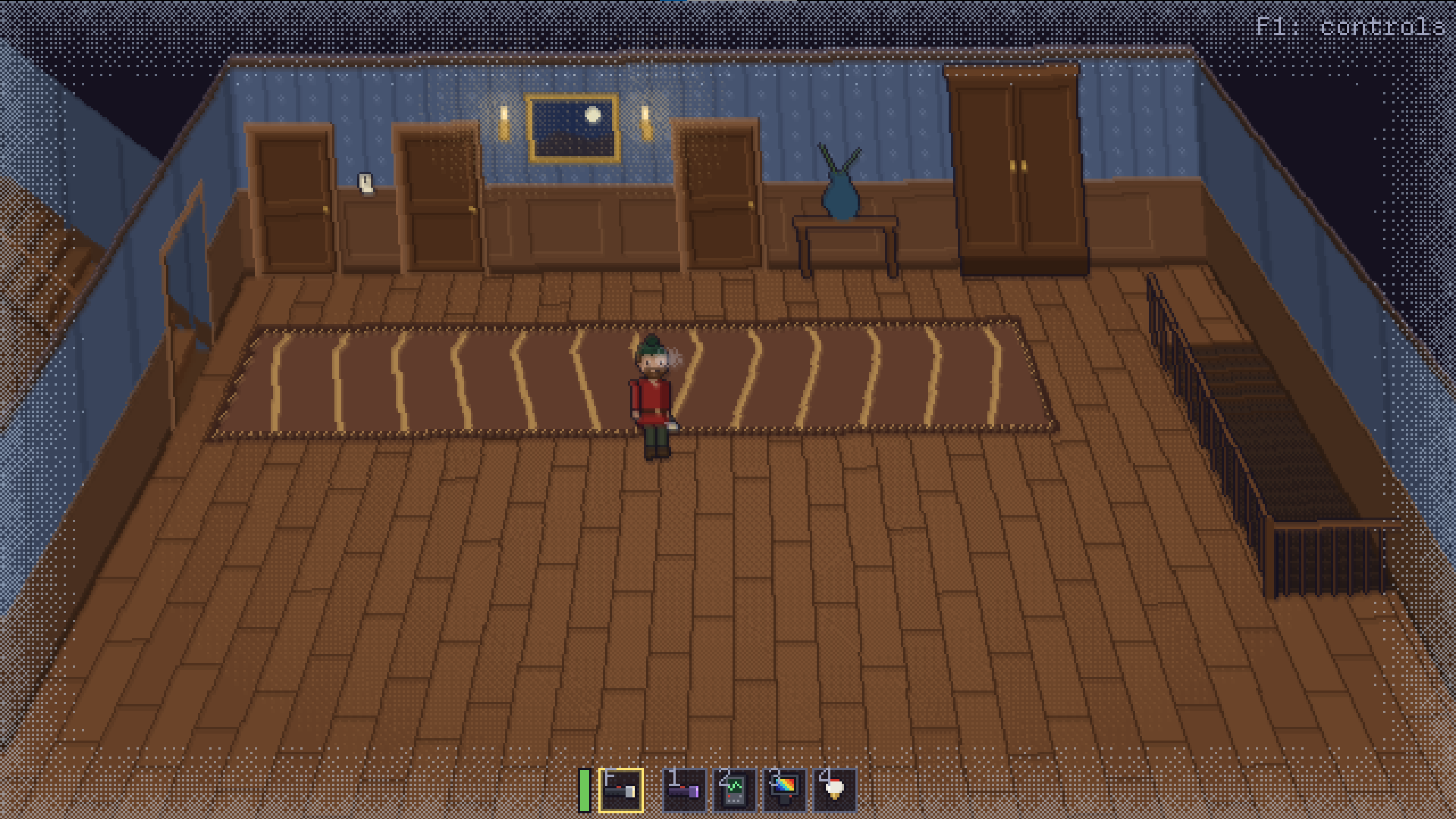
Explore the house room by room with your flashlight, gather evidence with your equipment (EMF meter, thermal camera, UV light, Ghost Box, salt, and more), and mark your findings in your journal. There are 42 different spirits from folklore around the world, each with its own clues and special ability. Watch your sanity: the lower it gets, the more likely the spirit is to start hunting. When it does, run, hide, and survive.
The house is different every time: the skull, Ouija board, crystal ball, and mirror turn up in new places (or not at all), and every room is full of everyday things on tables, shelves, and beds, from teacups and teddy bears to toy trains, which ghosts can carry around.
Four difficulty levels: Easy, Normal, Hard, and Nightmare. On higher difficulties the clues are harder to read, and only some of the closets have room to hide in. The rules for each level are shown in Options > Game. 12 playable characters. 21 achievements to unlock, from your first solved case to identifying every spirit. English and Finnish.
Investigator levels and rewards
- Every case earns points that raise your investigator level, from 1 up to 50. Even if you die, you keep half of your points for the guess and the journal (except on Nightmare).
- Every new level unlocks a piece of clothing: hats, glasses, shirts, trousers, and shoes in new colors and styles, all the way up to a crown at level 50. Dress your character in the wardrobe.
- Milestone levels upgrade your gear: the EMF meter remembers a level 5 reading, the thermal camera beeps and holds the lowest freezing reading, the UV light gets stronger, and at level 30 you can swap your flashlight for a lantern that lights up everything around you.
- Click your level in the main menu to see what every level unlocks.
Game modes
- Tutorial: starts automatically the first time you play. Eric guides you over the radio through the equipment, your first spirit, and your first hunt. You can skip it from the pause menu and replay it at any time from Options > Game.
- Solo: investigate the house on your own.
- Local co-op (computer only): two players on the same screen: player 1 uses a keyboard and mouse, and player 2 uses a controller. You move between rooms together, and if one of you dies, the ghost follows the survivor. If only one of you makes it out, you get half the points.
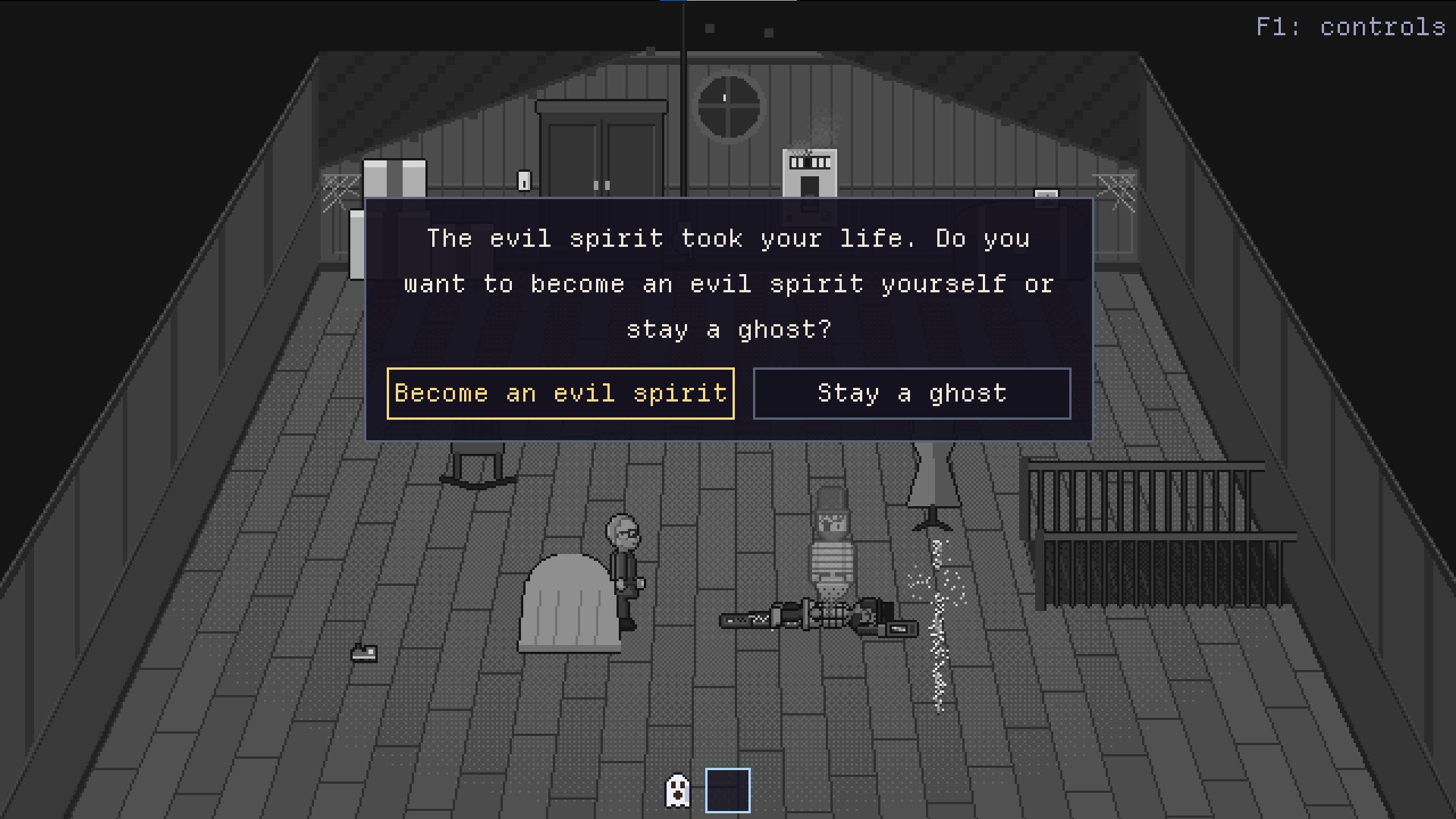
- Online multiplayer (2 to 4 players, Windows and Linux versions): one player hosts a room, and the others join with the host's IP address. Each player has their own journal. The host can allow dead players to turn into evil spirits that hunt the living alongside the real spirit. Your karma shows in the color of your chat messages: playing fair raises it, while turning evil and killing other players lowers it.
Where to play
Browser version
- Play instantly with nothing to install.
- Works on computers, phones, and tablets: on Android and iOS, the game switches to touch controls automatically.
- Includes the tutorial, solo, and local co-op (on computers).
- No online multiplayer: browsers can't open the direct connections it needs.
- Settings and progress are saved in your browser.
- Controllers work in Chrome, Edge, and Firefox. Press a button on the controller once after the page has loaded, so the browser detects it.
Windows version
- Everything in the browser version, plus online multiplayer.
- To play online with friends outside your home network, the host needs to forward UDP port 24680 on their router, or you can all join the same VPN (for example, Tailscale). On the same home network, it works as is.
- All players need the same version of the game to play together online.
- Windows may show a SmartScreen warning because the game isn't signed yet: click "More info" and "Run anyway".
Linux version (AppImage)
- Everything in the Windows version, including online multiplayer, and you can play online with Windows players.
- Works on most 64-bit Linux distributions from about 2020 onward.
Controls
Computer: keyboard and mouse or a controller (PlayStation, Xbox, Switch Pro, or Steam Deck). All keys can be rebound in Options > Keys. Press F1 in-game for a list of controls. The bottom bar shows which keys or controller buttons switch and use your items.
Touch: a thumbstick on the left (push past its edge to run) and buttons on the right. Tap the light button to switch the flashlight on or off, or hold it and drag to aim the light. The hand button opens doors, flips switches, and picks up items. Tap an item in the bottom bar to take it in hand.
Content note: horror themes, jump scares, and loud screams. No blood or gore. Online multiplayer includes unmoderated player chat. Recommended for ages 12+.
Made by Ville Turunen. This is an early version, and feedback is welcome!
© 2026 Cicda Oy. All rights reserved. Please do not redistribute, reupload, or sell this game or its contents.
AI Transparency & Ethical Use
This game was created as a purely non-commercial prototype for the game jam, focusing on exploring experimental development workflows with generative AI. To maintain full transparency and align with ethical guidelines, here is how AI was utilized in this project:
- Code & Texts: Developed in collaboration with Claude Opus 5.5, acting as the primary programming assistant and text generation tool.
- Assets (Graphics, Music, Audio & Translations): Generated using AI tools strictly for rapid prototyping to bring the core concept to life within the jam's time constraints.
- Human Role: I acted as the game director, designer, and systems integrator, guiding the AI, curating the outputs, and assembling the final experience.
This project is shared exclusively as a free, non-commercial prototype for learning and community feedback.
Download
Install instructions
Linux:
- Make it executable (
chmod +x HauntBit-x86_64.AppImage) and run it.
Comments
Log in with itch.io to leave a comment.
Massive ghost nerd here, this was right up my street!
Art style is nice and consistent, the game feels mechanically solid and you've really captured the feel of investigating a ghost. The journal entries for 42 types of ghost is a wonderful touch, and great for nerds like me to dive into.
If I had one big criticism, it's that the tutorial is a lot to remember. It moves very quickly and there's a lot of different things to take in very quickly. When I got to the final tutorial room, I was sort of fumbling around with buttons, the hint text kept appearing constantly and I felt like I was bumbling around a bit. That's likely just me though, I'm a bit of an idiot lol. Once you figure everything out, you really begin to enjoy the hunting part.
Otherwise, really really cool ghost game here. Much more focus on the investigation side rather than just 'spooky walking simulator with jumpscares' which can feel a bit lazy in my opinion.
Some of my favourite bands over the years have been Finnish, why can't my favourite game be Finnish too?
Hienoa työtä Ville
Thanks for the review!
It's nice to hear you liked it. I totally understand criticism about the tutorial. I have played it so many times, so it's hard to see it with a fresh perspective. I'll consider how to improve it in the future.